Start Bridge - Err Msg - No takeoff systems registered

Jan 21, 2026
 134
134
Issue: When trying to open Bridge from Dimension, the following error message is displayed:
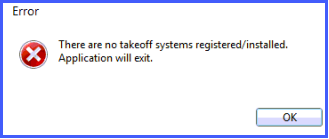
Cause: The COM interface between Dimension and Bridge is not registered
Solution: Register the COM .dll manually
- Open a command window with ADMIN privileges
- Navigate to Dimension installation folder-
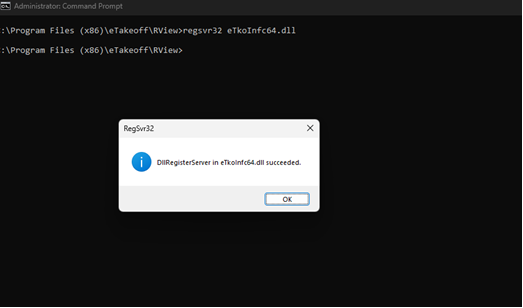
cd “C:\Program Files (x86)\eTakeoff\RView” - Run the following command. You should receive a confirmation message as shown in the figure below -
regsvr32 eTkoInfc64.dll